
Make sure you watch the low content kdp book cover tutorial before downloading the free template.
AUTOMATE the whole process grab Book Bolt plus my 20% discount code (ike) right here…
There are several book cover KDP dimensions to choose from, remember to factor in the bleed lines and the spine dimensions when creating them on Canva for free.
I did all the work for you for the 6 x 9 in kdp low content book cover, first thing you need to do is go to Canva and use the custom dimension feature. Make sure to add these dimensions in inches: 12.5 in x 9.25 in.
Then you need to download this transparent bleed cover template below and upload it to canva.
Instructions: just right click on the image and save it, upload it to Canva and follow my steps in the video.
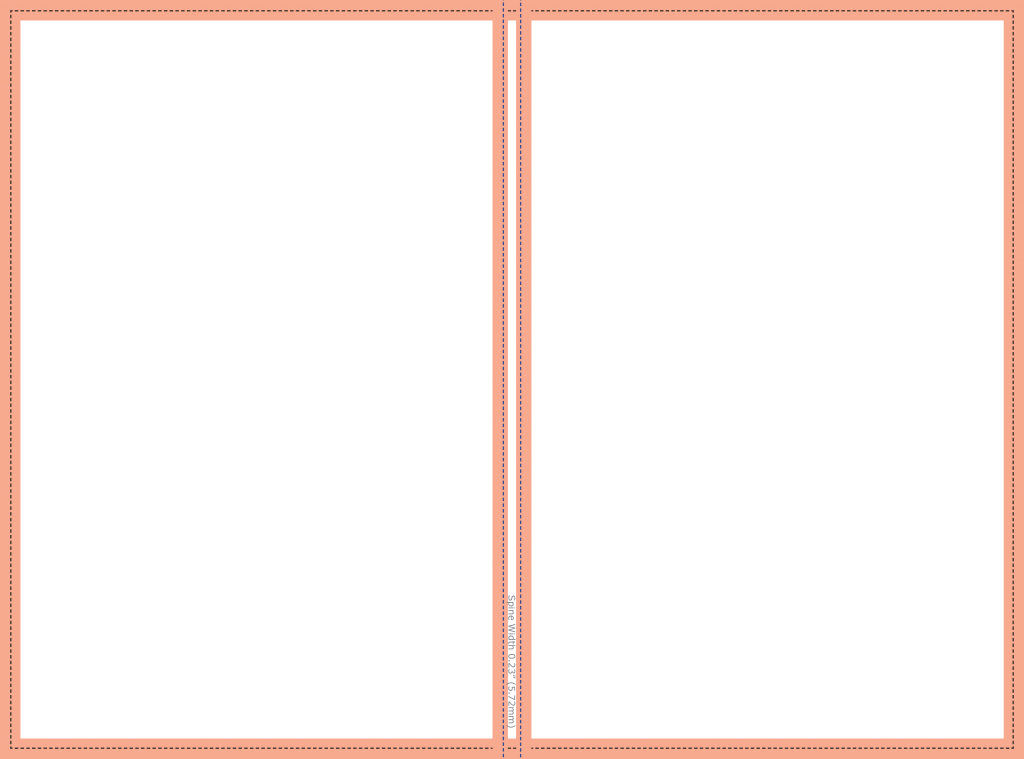
Add it to your template and start designing! Remember to download it as “PDF Print” when you’re done.
That’s it, once you start selling your KDP low content book I highly recommend you give Book Bolt a try.
Not only are the KDP dimensions automatically formatted but Book Bolt helps you find hot low content Amazon niches and create interiors for your books as well. Use my 20% DISCOUNT CODE: ike
Check it out right here…
thanks for such amazing stuff buddy.
my pleasure
Great article. Thanks for sharing.
Have a good day.
yup, happy to help
Written very well. Best writing I have ever seen! I have learn many significant & essential things through your article. Thanks to you for this valuable information.
Hi trying to download the cover template, not able to
,
sign up and download, it’s free
Hi Ike,
Thanks for the helpful information! However, there seems to be a step missing or something because I am unable to move the Bookbolt cover template to Canva. I followed all the steps that you gave. Thanks for any addition help that you can give! Donna
Hi Donna, those aren’t meant to be moved to Canva